Power
Returns the value of the first input raised to the power of the second input.

Description
The Power block returns the value of the first input raised to the power of the second input. This is a code block from the Math drawer.
Usage
Returns the value of the first input raised to the power of the second input.
Syntax
Inputs in this block:
- An integer
- An integer
The first integer represents the base, the second represents the exponent.
Example
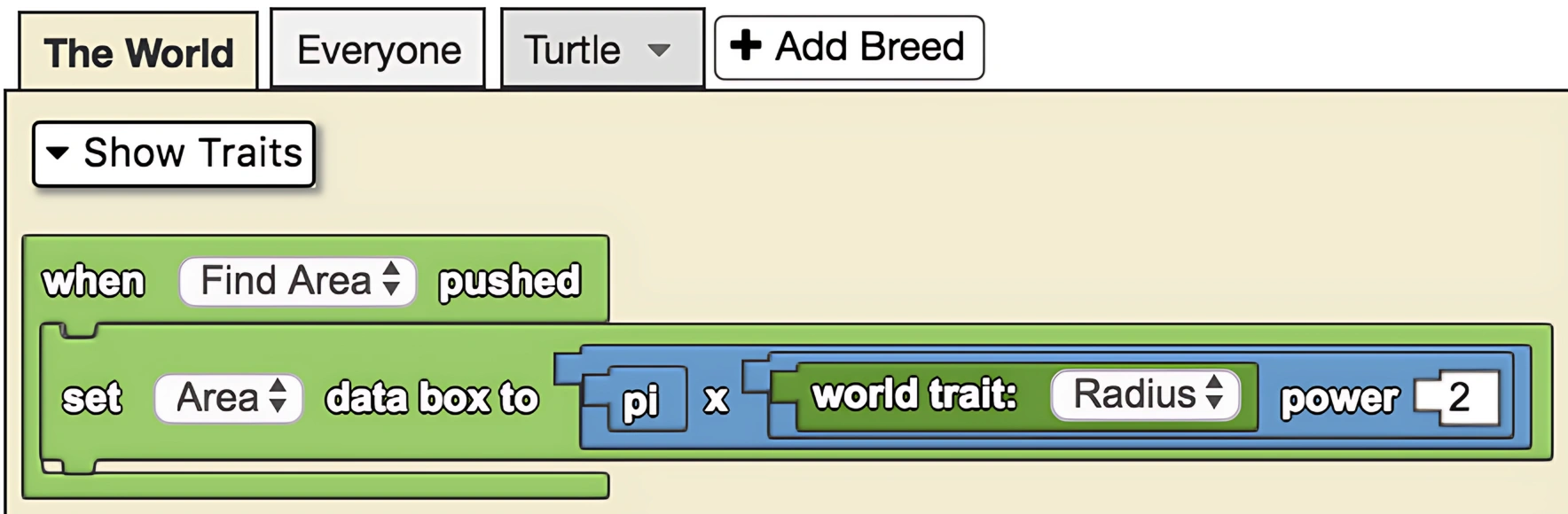
This is a model that explores the relationship between turning degree and the area of a circle. The model calculates the area of the circle drawn using the equation πr². Note that the area is in spaceland square units.