Create
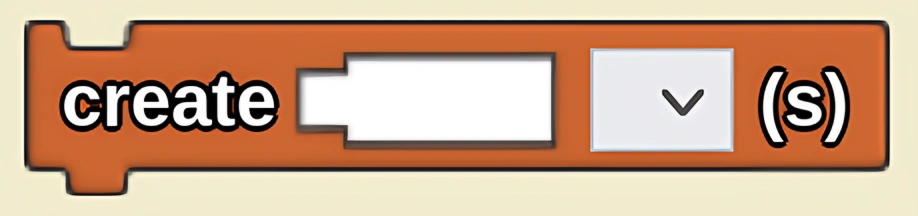
Creates the specified number of agents of the selected breed.
Description
The created agents have the default shape, color, and size specified in their breed's 'Show Traits' area. They are created in the middle of the terrain, on the ground (x = 0, y = 0, z = 0), with their headings evenly distributed, starting at 0 degrees (e.g. if 4 are created, one will start out facing toward each of the 4 sides of spaceland.)
Usage
Create is used to populate Spaceland with agents.
Syntax
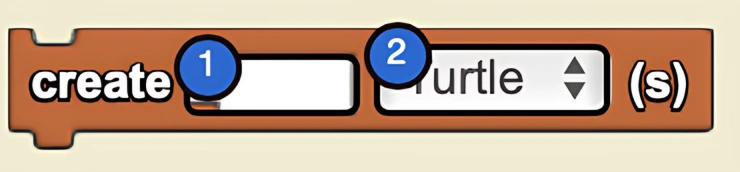
Inputs in this block:
- A number in the socket
- A breed from the dropdown menu
Example
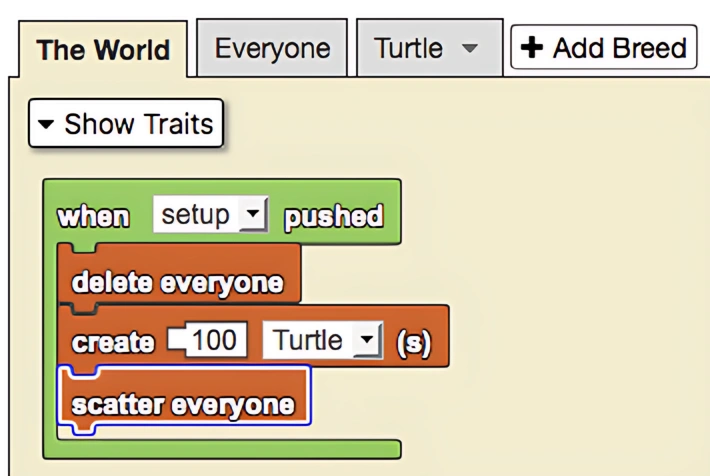
When the setup button is pushed, The World first deletes all the agents, then uses the create block to create 100 Turtles. Because the Turtles' defaults have not been changed, they appear as white cubes of size 1. The Turtles also have the default location of (x = 0, y = 0, z = 0) when created, but then The World uses the scatter everyone block, which scatters the Turtles that now exist.
Notes
An important difference between Create and Create Each Do is that Create Each Do allows a section of code to run individually for each agent that is created. Create only creates agents with the default traits in the center of Spaceland.
Create Each Do can be useful for randomizing traits and scattering agents without affecting others.
Related Blocks
- Create Each Do - Creates agents and runs code for each one individually