Toggle To For
Turns a toggle button widget on or off. Selecting "for everyone" has the same effect as if the user clicked the button. But "for me" will turn the button on/off only for the agent(s) who execute this command.

Description
The Toggle To For block turns a toggle button widget on or off. Selecting "for everyone" has the same effect as if the user clicked the button. But "for me" will turn the button on/off only for the agent(s) who execute this command. This is a code block from the Interface drawer.
Usage
Toggle To For turns a toggle button widget on or off. Selecting "for everyone" has the same effect as if the user clicked the button. But "for me" will turn the button on/off only for the agent(s) who execute this command.
Syntax
Select the desired toggle-button widget from the first drop down menu. Then select either "on" or "off" from the second drop down menu. Then select either "me" or "everyone" from the last drop down menu.
Example
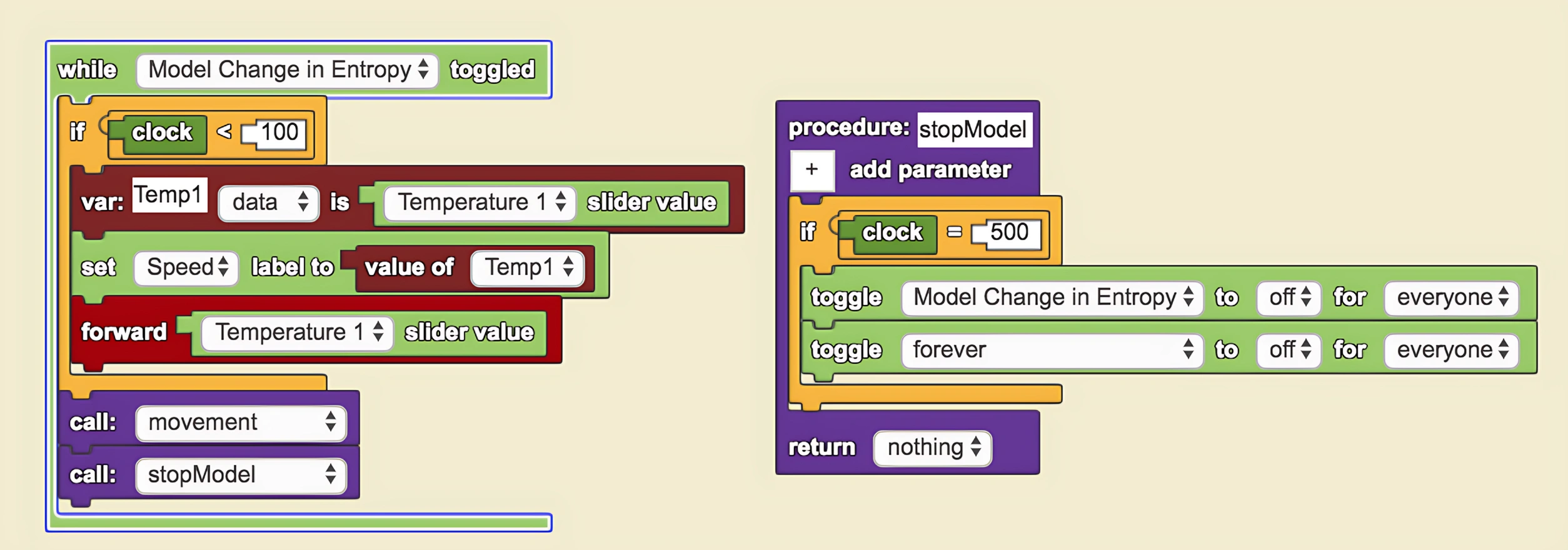
While forever is toggled on, after completing everything in the list above the block, forever will be toggled off for everyone automatically. Forever will be toggled off until it is pushed again. When the 'for me' behavior is toggled, only the blocks which affect a particular agent will be turned off. If the 'everyone' behavior is toggled, then all blocks for all agents will be turned off.
Related Blocks
- While Toggled - Executes code while a toggle button is on
- When Pushed - Executes code when a button is clicked