While Toggled
Executes commands repeatedly while the toggle button widget is turned on. When the toggle button widget is turned off, the commands in this block don't run. Widgets can be created using the Edit Widgets feature.
Description
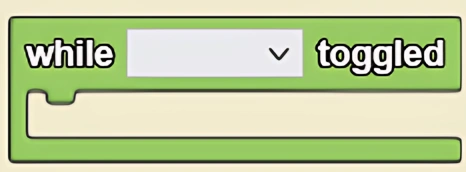
The While Toggled block executes commands repeatedly while the toggle button widget is turned on. When the toggle button widget is turned off, the commands in this block don't run. Widgets can be created using the Edit Widgets feature. This is a code block from the Interface drawer.
Usage
While Toggled executes commands repeatedly while the toggle button widget is turned on. When the toggle button widget is turned off, the commands in this block don't run. Widgets can be created using the Edit Widgets feature.
Note: It is useful to use the 'while toggled' block with the toggle button widget if you want the code to execute multiple times until the widget is toggled off.
Syntax
Input:
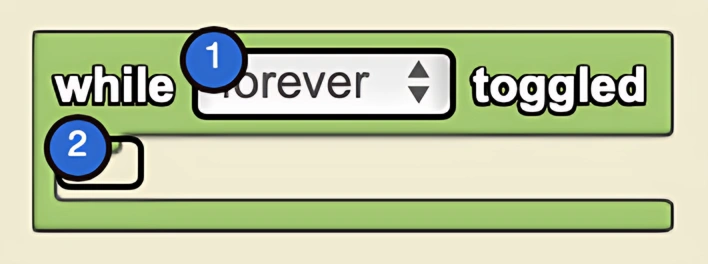
- Select the desired toggle-button widget from the drop down menu
Example
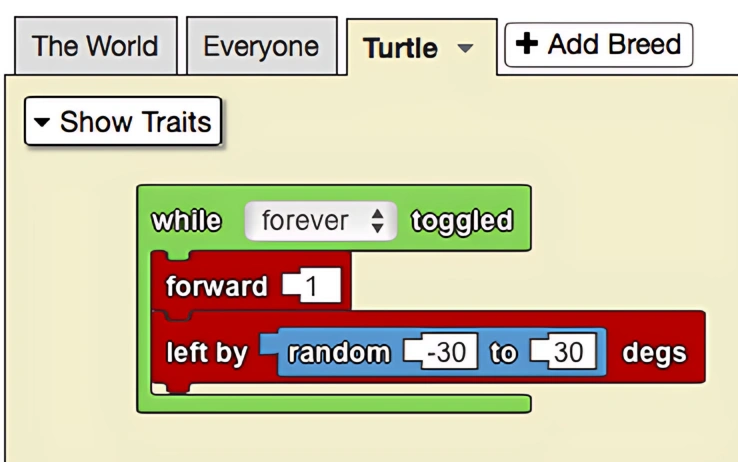
When the 'forever' button is toggled, the 'turtle' agents move forward by one step and turn left by a random number of degrees between -30 and 30 degrees. This allows the agents to wander randomly throughout spaceland.
Notes
Use this block when you want a stack of code to be continuously executed.
Related Blocks
- When Pushed - Executes code once when a button is clicked